


Technique
Rotoscoping vs Masking: When to Use Which (and Why It Matters)

Rotoscoping and masking sound similar, but they solve different problems — and choosing wrong can cost you days of work. Here is when to use each.
The Confusion
Almost every post-production conversation about "isolating a subject" mixes up these two terms. They sound interchangeable. They are not.
Masking is a static or animated shape that defines what part of a frame is visible. You draw a shape, you animate it across the clip, and the area inside (or outside) the shape is what passes through.
Rotoscoping is the process of tracing a subject — usually a moving person, animal, or object — frame by frame so it can be separated from its background as a high-fidelity matte. It produces an alpha channel that follows the subject's exact outline, including hair, fingers, motion blur, and translucent edges.
In practice, every rotoscoping job uses masks. But not every mask is rotoscoping.
The Short Version
| Masking | Rotoscoping | |
|---|---|---|
| What it produces | A shape that reveals or hides a region | A precise alpha channel around a subject |
| Edge quality | Approximate, feathered | Follows hair, blur, translucency |
| Typical time | Minutes to an hour | 3–8 seconds of footage per artist-day |
| Survives close inspection | At 100% zoom, usually not | Yes, that is the point |
| Typical use | Colour correction, simple object removal | Background replacement, VFX compositing |
| Cost driver | Number of shapes | Edge complexity and motion |
If you only remember one thing: a mask decides where, a roto matte decides exactly what.
When to Use Simple Masking
Masking is fast. Use it when:
- The subject or area you want to isolate has a straight or simple edge (a sign, a window, a building)
- The shape doesn't change much across the clip (a locked-off camera shot)
- You only need to darken, brighten, or replace a region — not lift it out as a clean cutout
- You have a few seconds of footage and a tight deadline
A great masking workflow involves planar tracking the shape so it follows the camera move without breaking.
Masking is also the correct answer far more often than people assume. A large share of the "we need rotoscoping" briefs we receive turn out to be secondary colour work or a simple object removal, both of which a tracked mask handles in a fraction of the time and cost.
When You Have to Roto
Rotoscoping is the right tool when:
- The subject has a complex organic edge — hair, fur, fabric, irregular contour
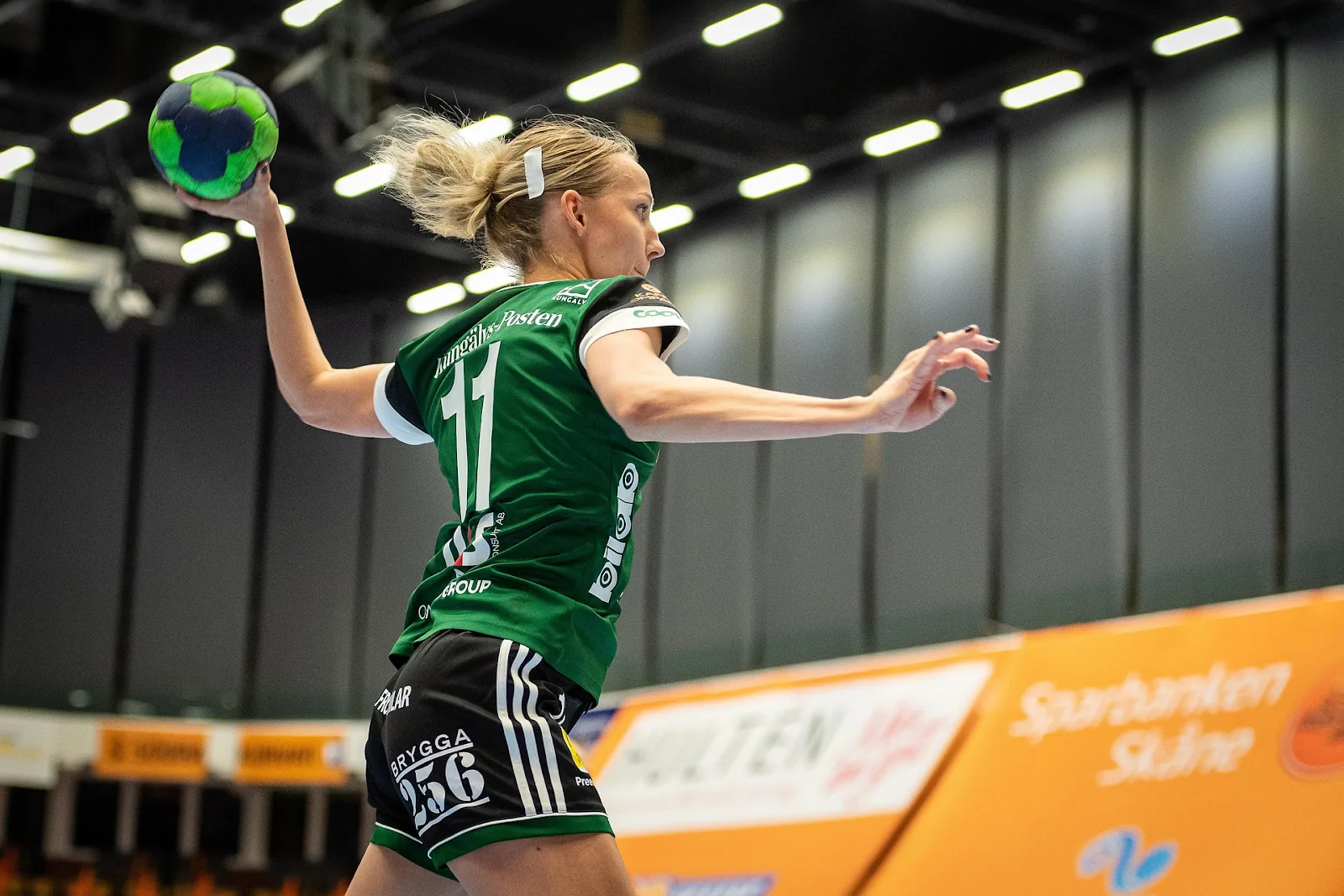
- The subject moves through the frame with motion blur, depth changes, or limb crossings
- You need to change the background entirely, not just darken or color-grade it
- The final delivery needs a clean alpha channel that holds up at 4K under close inspection
Roto is slow. A skilled artist can roto roughly 3–8 seconds of HD footage per day depending on complexity. Hair and motion blur multiply that significantly.
The Hybrid Reality
Modern pipelines use both. A typical "rotoscoping" job might involve:
- A garbage matte (a rough mask) to throw out 90% of the frame
- AI-assisted segmentation to get a starting matte on the subject
- Manual roto in Silhouette or Mocha to clean up edges
- Hair/edge refinement using channel pulls and matte choking
- Frame-by-frame paint on the worst sections
Tools like Adobe's Roto Brush and DaVinci's Magic Mask have gotten dramatically better in 2024–2026, but they still fail on hair, semi-transparent fabric, fast motion, and complex backgrounds. AI gets you 70% of the way; the last 30% is what separates a $50 deliverable from a $500 one.
Which Software for Which Job
| Tool | Best at | Weak at |
|---|---|---|
| Mocha Pro | Planar tracking, tracked masks on flat surfaces | Organic edges, hair |
| Silhouette | Production rotoscoping, edge control | Steep learning curve for editors |
| Nuke | Full comp pipelines, batches, deep integration | Overkill for a single short clip |
| After Effects Roto Brush | Fast first pass on clear silhouettes | Hair, motion blur, similar-coloured backgrounds |
| DaVinci Magic Mask | Quick masks inside an existing grade | Frame-accurate delivery matte |
Most short-form commercial work is a Mocha-plus-After-Effects job. Anything destined for a VFX comp or a broadcast deliverable ends up in Silhouette or Nuke, because those are the tools that let an artist control the edge rather than accept whatever the algorithm produced.
What Actually Makes Roto Expensive
Length is the number people quote. It is rarely the number that matters. These are, roughly in order of impact:
- Hair, fur and fabric. A subject with loose hair can cost three to five times the same subject in a hat.
- Motion blur. A blurred edge has no single correct outline; the matte must be semi-transparent and consistent frame to frame.
- Limb crossings and self-occlusion. Every time an arm passes in front of the torso, the shape topology changes and has to be rebuilt.
- Background similarity. A dark jacket against a dark wall gives the artist no edge to trace.
- Frame rate and resolution. 60fps is 2.5× the frames of 24fps. 4K makes every imperfection visible.
- Entering and leaving frame. Partial subjects at frame edges need special handling on every frame they touch.
Two clips of identical length can differ by a factor of ten on these variables alone. This is why any studio that quotes roto without watching your footage is guessing.
How to Brief a Roto Job
Send these five things and you will get an accurate quote back within a day:
- The clip itself, at the highest quality you can share
- What the matte is for — background replacement, grading, VFX comp, or clean-up
- Delivery format: EXR sequence, ProRes 4444, or PNG with alpha; premultiplied or straight
- Frame range — the exact in and out points, not the whole rushes
- Any reference for how clean the edge needs to be at final size
That third point causes more re-deliveries than anything else. If your compositor expects straight alpha and receives premultiplied, edges will fringe and everyone will blame the roto.
Common Roto Mistakes
- Tracing the silhouette, not the subject. A matte drawn tight to a blurred edge looks cut out. The matte must include the blur.
- Too many control points. More points means more chatter between keyframes. Use the fewest that describe the shape.
- Keyframing every frame. Key the extremes and let the shape interpolate; then fix only where it drifts.
- Ignoring the edge treatment. Choking, blurring and colour-despilling the edge is what makes a matte look photographed rather than cut.
- Delivering without checking over a contrasting background. Always view the matte over a colour that clashes — usually bright green or magenta. Fringe hides against black.
Pricing Implications
Because roto is labor-intensive, it's priced per minute of footage (or per second for complex shots). A 30-second product video with a clean talent silhouette might cost $300–$600. The same 30 seconds with flying hair and motion blur could cost $1,500+.
At our $25/hr standard rate, a rough planning guide per 10 seconds of 1080p:
| Subject | Typical hours | Typical cost |
|---|---|---|
| Simple silhouette, locked-off camera | 2–4 | $50–$100 |
| Moving subject, clean edge | 4–8 | $100–$200 |
| Loose hair or fabric, moving camera | 8–16 | $200–$400 |
| Fast motion with heavy blur, 4K | 16–30 | $400–$750 |
Projects of five or more videos run at $20/hr. The full breakdown is in our video cleanup pricing guide for agencies.
If a vendor quotes you a flat low price for a complex roto job, ask how they're handling the hair edges. That answer will tell you whether you're about to pay twice — once for the cheap job, then again for the cleanup.
Quick Decision Checklist
- Locked-off shot, geometric subject → mask
- Moving subject with simple edge → mask + planar tracking
- Moving subject with hair, motion blur, or full background replacement → rotoscoping
- Need broadcast-grade alpha for color grading or VFX comp → rotoscoping
- Only changing colour or brightness in a region → mask, almost always
Frequently Asked Questions
Is rotoscoping just animated masking? Mechanically, yes — roto is built out of animated masks. The difference is the standard the result is held to: a roto matte has to survive being composited over a completely different background at full resolution.
Can AI do rotoscoping now? It can do most of it, most of the time, on cooperative footage. It still fails on hair, blur, and low-contrast edges, and it cannot tell you when it has failed. Treat AI output as a first pass to be checked, not a deliverable.
How long does 10 seconds of rotoscoping take? Between two and thirty hours depending on the subject. The variables above matter far more than the duration.
What format should a roto matte be delivered in? For VFX pipelines, an EXR sequence with straight alpha in the working colour space. For editorial, ProRes 4444 with an embedded alpha is usually easier to handle.
Do you need the original footage or is a preview enough? A compressed preview is enough to quote. Final work should be done on the original, because compression destroys exactly the edge detail roto depends on.
If you're not sure which your project needs, send us a sample clip — we'll tell you which workflow fits and quote accordingly. You can also see the full service on our rotoscoping page, or read about the related discipline in how to remove wires from action video.
Related Services
Let our team handle it for you
Need professional VFX cleanup on your footage?
Get a Free Quote